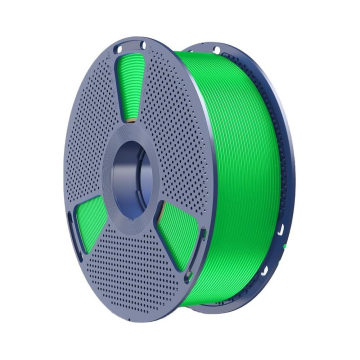
Getting consistent results from 3d printer pla filament involves balancing nozzle temperature, print speed, bed heat, cooling, and retraction. For PLA+ 2.0, SUNLU’s recommended ranges provide a useful starting point, but the final profile depends on your printer, nozzle, and model geometry. Begin with the published settings, print a small test, and adjust one variable at a time to improve surface quality and reliability.
- Start with the Recommended Settings
The official PLA+ 2.0 product information provides different nozzle temperatures for different print-speed ranges. Use the applicable values below as your initial slicer profile.
| Setting | Recommended range |
| Nozzle temperature at 50–100 mm/s | 205–215°C |
| Nozzle temperature at 100–200 mm/s | 215–245°C |
| Heated bed temperature | 50–60°C |
| Retraction distance | 0.8–1.2 mm |
| Retraction speed | 30–40 mm/s |
These figures define a sensible starting profile; confirm them on your own machine before committing to a longer print. Printer design, hotend performance, nozzle size, layer height, and cooling can affect extrusion. Choose a temperature within the relevant range, then assess the result with a small calibration model before moving to a larger print.
- Match Nozzle Temperature to Print Speed
Temperature affects how readily filament flows through the nozzle and bonds with the previous layer. If the temperature is too low for the chosen speed, extrusion may become inconsistent or layer bonding may weaken. Excessive heat can contribute to stringing, softened details, or rough surfaces.
For a new profile, start near the middle of the recommended range that matches your intended speed. If you print at 50–100 mm/s, begin within 205–215°C. For speeds of 100–200 mm/s, the listed range is 215–245°C.
Higher speeds may require more heat because material passes through the hotend more quickly, although results vary by machine.
If a print looks rough or shows gaps, inspect filament feeding and nozzle condition along with temperature. Change the temperature in small increments and compare similar test prints. Keeping other settings steady makes it easier to identify which adjustment improves the result.
- Set Bed Temperature and Cooling
The recommended bed temperature for pla plus 2.0 is 50–60°C. A suitable bed setting supports first-layer adhesion and helps reduce lifting around corners. Build-surface type and condition also influence adhesion, so clean the plate using a method appropriate for its material and confirm that the first-layer height is correctly adjusted.
Cooling affects overhangs, bridges, and the shape of small details. The manufacturer’s filament guidance recommends using the cooling fan for this material. Start with the slicer’s PLA-oriented cooling profile, then inspect bridges and layer consistency.
If small features look soft, adjust cooling or print speed gradually; if layers appear poorly bonded, review temperature and cooling together.
- Fine-Tune Retraction to Reduce Stringing
Retraction pulls filament back before the printhead travels between separate areas. The recommended retraction distance is 0.8–1.2 mm, with a speed of 30–40 mm/s. These values offer a baseline for testing, especially on printers with direct-drive extrusion systems.
Stringing can develop when temperature, retraction, travel movement, or filament condition is not well matched to the setup. Print a small stringing test and adjust distance or speed in small steps. Large changes can introduce other problems, such as inconsistent restart extrusion or gaps at the beginning of a line.
Retraction settings also depend on extruder design. A profile created for a long Bowden tube may not suit a direct-drive machine. Save separate profiles when using different printers so that successful adjustments remain easy to reproduce.
- Prepare and Store Filament Carefully
Filament condition can affect surface quality and extrusion consistency. The official filament guidance lists a drying temperature of 50°C for PLA+ 2.0. The suitable duration depends on the dryer, spool, and material condition, so follow the equipment instructions and check the filament guidance when planning a drying cycle.
Store the spool in a dry environment between printing sessions. If bubbling, rough extrusion, or unusual stringing appears despite reasonable settings, consider moisture as one possible cause alongside nozzle temperature and mechanical issues.
Testing the filament after suitable drying can help indicate whether material condition contributes to the problem.
- Troubleshoot the First Test Print
Use the visible result to decide which setting to investigate first. Several factors can produce similar symptoms, so make gradual adjustments and compare prints under similar conditions.
| Symptom | Settings or components to check |
| Poor first-layer adhesion | Bed temperature, plate cleanliness, nozzle height |
| Stringing between parts | Temperature, retraction, filament condition |
| Gaps or weak layer bonding | Temperature, speed, extrusion consistency |
| Soft bridges or overhangs | Cooling, print speed, model geometry |
| Rough or uneven extrusion | Filament feeding, nozzle condition, temperature |
- Save a Repeatable PLA+ 2.0 Profile
Once the settings produce a satisfactory test print, record the nozzle and bed temperatures, speed, retraction, and cooling settings. Change the profile when the nozzle, build surface, printer, or model requirements change, and run a small verification print before a long job.
For makers choosing 3d printer pla filament, the published SUNLU PLA+ 2.0 settings provide a practical baseline for tuning extrusion and surface quality. A measured approach—testing one adjustment at a time and saving successful profiles—makes it easier to reproduce results across future projects.
